Today we're pleased to announce that the new
League Management System is live and available for all clubs, counties and districts to use. We hope that this will greatly simplify the administration of league events, including dealing with team personnel, master points and pay-to-play charges. Some organisers already have very good systems in place to do this so we're not forcing anybody to switch, but we hope this service will be of some value.
The LMS works within our
online members area, so you'll need a user name and password in order to use it. Clubs and counties have this already (if you don't, please check with the treasurer or scorer). What used to be called Districts, i.e. entities which run leagues but which are not affiliated clubs or counties, will need to request a user name and password from the EBU.
Once you're logged in you should now see an additional 'Leagues' tab in your members area. If you don't see it then you may still be looking at the old version of our members area and will need to
clear your browser cache.
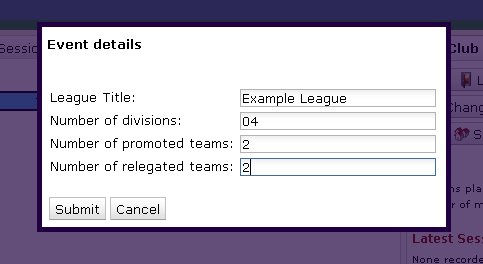
To create a new league, click the green plus icon and you'll be presented with some options.
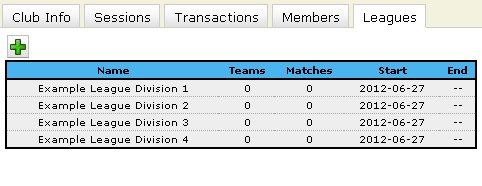
Enter the league title, the number of divisions in the league and the promotion/relegation criteria and then click 'Submit'. Wait a few seconds and you should see something like this:
With the league set up, we now have to look at the individual divisions. To manage a division of a league, click on the line you're interested in. In this case, we'll click on Example League Division 1, which gets us here:
There are no teams in the league yet, so click on the green plus icon to add one:
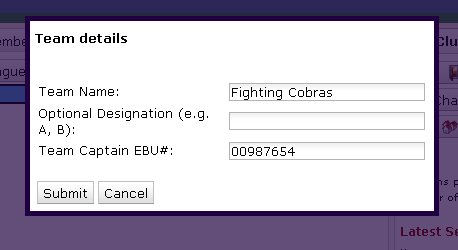
Enter the team name and the captain's EBU number. You can also optionally enter a suffix, for example in a club league you could have Aylesbury A and Aylesbury B - 'A' and 'B' are the suffixes. Let's add some more:
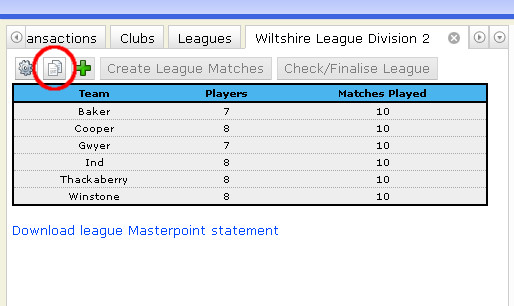
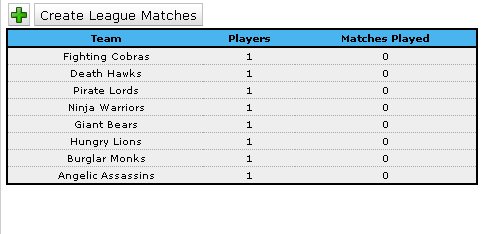
When you're finished adding teams to the division, it's time to create some matches.
Important: make sure you've added all the teams before you create the matches. Once the matches are created you won't be able to add more teams.
Clicking the 'Create League Matches' button asks you if it's a single- or double- round robin i.e. if each team plays each other team once or twice. Submit your preference, wait a few seconds and the matches will be ready.
In an ideal world this is where the league administrator's involvement ends, at least until the end of the season. The team captains that you have designated are now able to log into their own Members Area to update their team information and submit match results. Of course, some captains will be either unable or unwilling to do this so there may be a need for some further intervention. The rest of our instructions are from a team captain's point of view, but the functionality is identical for the league administrator.
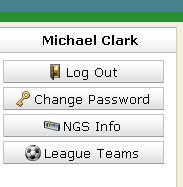
When a player logs on to their Members Area they'll see a button on the right-hand side if they're a part of any league:
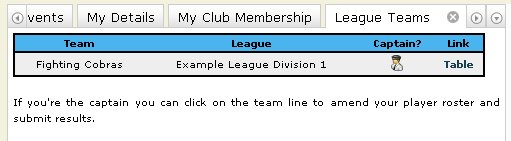
Clicking this will bring up a table like this:
This shows the team name, the league it's a part of, whether or not you're the captain of the team and finally a shortcut to the league results table. If you're the captain you can click on the line to bring up some information about your team.
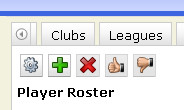
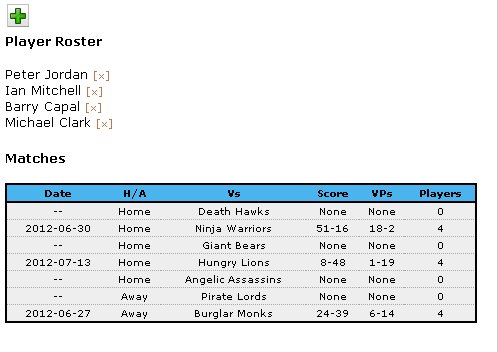
Under 'Player Roster' you can see the list of all the players registered for this team. You have been included by default, but if you're of the non-playing variety of captain you can remove yourself by clicking the small cross by your name. Under 'Matches' you can see a list of all the matches for this team for the season.
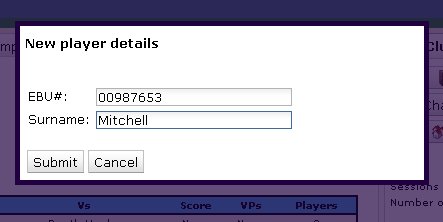
To add a player to the roster, click the green plus icon.
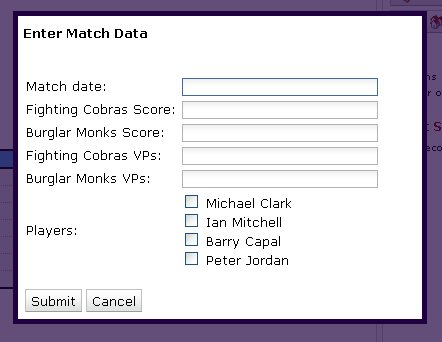
To amend the details of a match, click the appropriate line in the match list:
Enter as much information as you can and then check the boxes of the players who played for your team. This isn't final - you'll be able to go back and correct any mistakes or add some data which you left out.
Both captains will be able to amend the match data, but the team lineups can only be entered or changed by the captain of that team - after all, they're the ones who should know best who played!
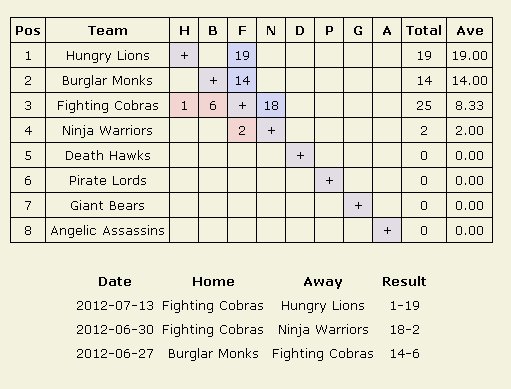
Once a few results are in the table might look like this:
We can now see how this will look in the public results table:
This gets updated as soon as the results are in and will reconfigure itself according to the new ranking. You can see the real version
here.
I don't see a feature I need!
There are dozens of different sorts of leagues being run across the country and I'm sure there's something you do which we can't do. If so, please
let us know. We should be able to deal with most peculiarities, although some might be more work than others.
What about teams-of-eight leagues?
We don't enforce any limits on the number of players per team and it will work the same way for teams of four/six/eight/twelve/thiry-one! At the end of the season you'll be charged based on the number of people that play in the matches, so it's important that you record this correctly after every match.
What about knockout events?
These are on their way and will be available as another type of event when you use the 'Create New League' function.
There's no way I'll be able to get my captains to use your Members Area!
That's a shame. You could just make them do it, or make them pass the captaincy onto someone who's willing. It's really not very difficult once you've used it once. If they're steadfast in their refusal, though, then don't worry - the league administrator has the same abilities as the team captains. In the teams list page (where you see the 'Create League Matches' button) you can click on the team in question and then you'll be able to amend their players list and match results just as if you were them.
I have a question that's not covered!
Sigh...
Drop us a line and we'll see if we can help you!
Your new system is a load of rubbish!
Perhaps it is! Let us know about it, though, and we might be able to do something. We're always keen to get feedback on new features like this.
 Much of the functionality should be familiar, with a new presentation, so we hope it will be intuitive and self-explanatory for users of the old LMS. This post will go through a few of the changes, and in the next few weeks we'll release some more detailed notes for users new to the system. The changes are listed below.
 4. League titles are now split between the title bit and the date bit, to make it easier to group similar leagues together in the results pages. See the image above. While transferring the data from the old system, I tried to split the titles where possible, but league organisers may want to check their settings to make sure that it's all correct. I suggest you use the format above e.g. "2014-15" with a hyphen, to keep things consistent. You will find this setting by clicking the edit icon by the appropriate league in the list of leagues. The division title can be changed in the individual division page.

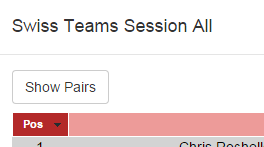 One big change in the results page is that for a teams event you can now click on "Show Pairs" in order to see the ranking for the pairs (usually scored by Cross-IMPs), and how their grade changed.
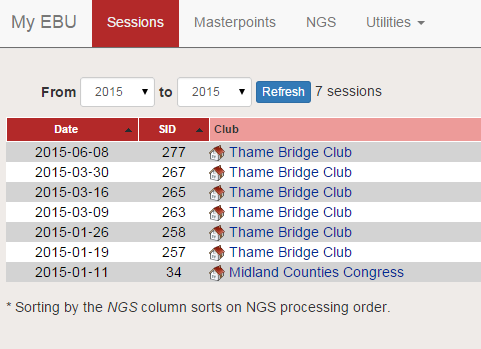
Finally, there's now a facility to filter the sessions list which makes it much easier to find that session you're looking for. Just type in the name of the club, or your partner, or even the session ID if you know it, and the list will show only the sessions that match the criteria.
One big change in the results page is that for a teams event you can now click on "Show Pairs" in order to see the ranking for the pairs (usually scored by Cross-IMPs), and how their grade changed.
Finally, there's now a facility to filter the sessions list which makes it much easier to find that session you're looking for. Just type in the name of the club, or your partner, or even the session ID if you know it, and the list will show only the sessions that match the criteria.
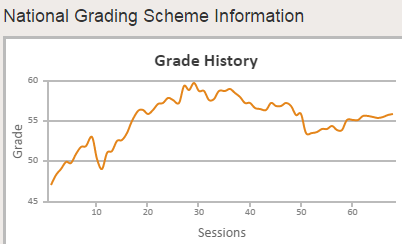
 The Latest Updates table should also help answer a lot of queries we get about how your grade is changing. It could previously get a bit confusing if sessions were deleted, or rescored, or if old sessions started getting expired from three years ago. This line-by-line breakdown of what's been happening should hopefully clear up a lot of these things.